
March 15, 2026 • By Dr. Sadok Derouich
Can a mobile-first app solve the EMR adoption crisis in developing countries?
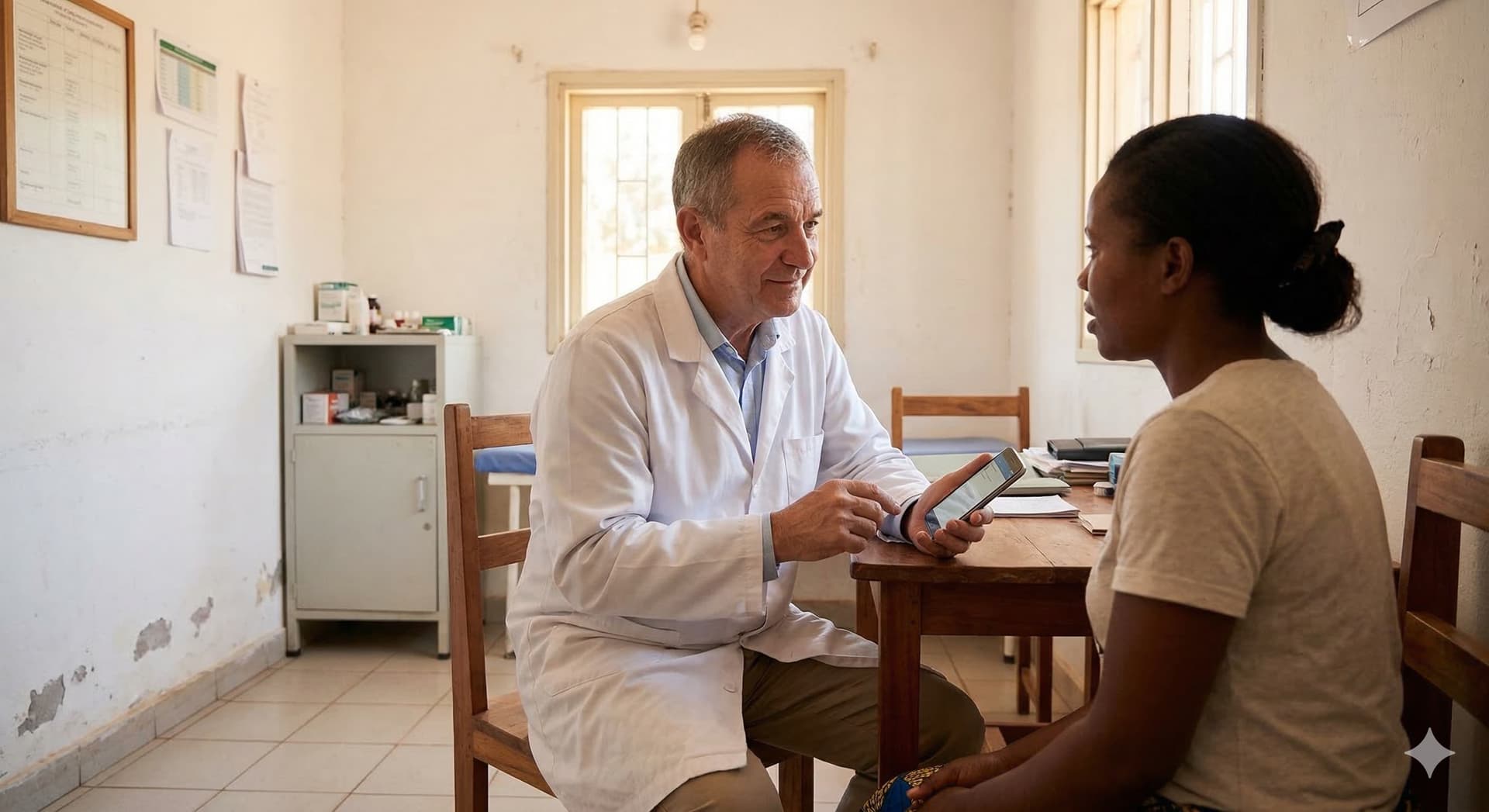
The device that can finally make EMR adoption work in developing countries is already in every doctor's pocket.
Yes — and the evidence is in the device doctors are already using. While PC-based EMR systems have struggled with adoption for two decades across Africa, the Middle East, and South Asia, smartphone penetration in these same regions has grown to over 80% of the population. The barrier was never the concept of digital records — it was forcing a desktop-first tool onto a mobile-first world.
In an analysis of why Western EMR software fails overseas, we established that EMR adoption failures are rooted in product design mismatch, not doctor resistance. This article goes further: mobile-first is not just a convenience feature — it is the architectural shift that makes EMR adoption structurally possible in developing countries for the first time.
What you will learn in this article:
- Why PC-based EMR systems created three hard barriers that had nothing to do with clinical value
- Why doctors in developing countries already leapfrogged the PC era — and what that means for adoption
- How mobile-first UI design eliminates the need for training entirely
- Why mobile-first doesn't mean mobile-only — and how cloud architecture makes both work together
- What a genuinely mobile-first medical office app looks like in practice
Medical Insight
When I first launched doctoLys as a web-only application and started talking about it to colleagues, their immediate reflex was to reach for their phone and search for it on the Play Store or App Store. Every single time. When they did not find it, I could see the disappointment. They were not looking for a web platform — they were looking for something they could download, open, and start using the same way they used every other tool in their daily lives. That moment taught me more about adoption psychology than any product research I had done.
The three hardware barriers that killed PC-based EMR adoption
Before asking why mobile-first works, it is worth understanding precisely why desktop-first failed. The barriers were not attitudinal — they were physical and economic.
The equipment wall
A functional desktop EMR setup requires a laptop or desktop computer, a printer for prescriptions, a UPS (uninterruptible power supply) for the frequent power cuts common in developing markets, and often a dedicated internet router. For a solo practitioner in Dakar, Beirut, or Colombo, this represents a capital investment of $500 to $1,500 before a single patient file is created.
And it is rarely just one device. In most private clinics, both the doctor and the assistant need access to the system simultaneously — which means two computers, not one. For a doctor who has been working with paper records and has never owned a clinical workstation, the barrier is not a software subscription. It is a hardware procurement project they never planned for.
A systematic review across Ethiopian healthcare facilities found that limited access to computers was one of the most common barriers to EMR adoption — alongside poor computer literacy and lack of technical support. These are not solvable with better software. They are hardware barriers that only disappear when the required hardware is something the doctor already owns.
The training trap
A mismatch between EMR functionality and the needs of health workers was identified as a common deterrent — physicians found the systems lacking an easily accessible overview of key patient data.
Desktop EMRs are typically built around feature-complete dashboards optimized for large screens. A solo practitioner presented with 50 menu items, multiple configuration steps, and a workflow designed for a hospital department does not see a tool — they see a project. If their assistant leaves, training their replacement takes days. Every complexity added is a reason not to start.
The space constraint
In many private clinics across developing markets, the consultation room is compact. A desktop computer positioned between the doctor and the patient creates a psychological and physical barrier that changes the nature of the consultation. The doctor faces the screen rather than the patient. The keyboard imposes a typing workflow that interrupts the clinical conversation.
This is not a minor ergonomic inconvenience. It is a fundamental incompatibility between the tool and the clinical environment it is supposed to serve.
Why doctors in developing countries already leapfrogged the PC era
The concept of technological leapfrogging is well documented in the development economics literature. Developing regions skip infrastructure stages that wealthier countries passed through sequentially. Sub-Saharan Africa skipped landlines and went directly to mobile. The same pattern is now playing out in healthcare technology.
In the last two decades, sub-Saharan Africa has experienced a remarkable digital transformation, largely driven by mobile technology penetration and innovation, with more than 80% of the population having a mobile phone subscription — effectively skipping landline infrastructure entirely.
For doctors specifically, this leapfrogging is even more pronounced. A physician in Lagos or Tunis who never adopted a desktop EMR is not a technology laggard. They are a smartphone-native professional who uses mobile banking, WhatsApp for professional coordination, and mobile apps for continuing medical education. The mental model for digital tools is entirely mobile.
The Africa digital health market is projected to grow at 23.4% CAGR from 2024 to 2030, reaching $16.6 billion — with growing smartphone and internet penetration identified as a primary driver.
The opportunity is not to convince these doctors to go digital. They are already digital. The opportunity is to give them a medical tool that fits the device and interaction model they already use every day.
Medical Insight
During my years as a gynecologist, I noticed that even the most paper-dependent colleagues in my network had one thing in common: they all had a high-end smartphone and used it constantly. They used it for everything except their clinical work, because no clinical tool was designed for it. The adoption problem was never about willingness. It was always about fit.
How mobile-first UI eliminates the training barrier
The most underappreciated advantage of a mobile-first medical app is not the hardware reduction — it is the elimination of the training requirement entirely.
| Feature | Mobile-first app | Desktop EMR |
|---|---|---|
| Hardware required | Smartphone already owned | Laptop + UPS + printer ($500-1500) |
| Screen design | 2-3 actions per screen | Dashboard with 50+ buttons |
| Data entry | Voice dictation + camera | Keyboard typing required |
| Training needed | None — familiar interface | Days for doctor and staff |
| Consultation posture | Phone in hand, facing patient | Screen between doctor and patient |
| Setup time | Under 5 minutes | Days to weeks |
| Advanced features | Web app available — same account, same data | Desktop only — no mobile standalone |
The 2-3 actions per screen principle
A mobile screen imposes discipline on design. When you have 5 inches of usable space, you cannot show 50 buttons. Every screen must make a single decision obvious. This constraint — which feels like a limitation — is actually the mechanism that makes the product usable without training.
A doctor who opens doctoLys for the first time sees three options: start a new consultation, find a patient, or view their agenda. That is the entire home screen. There is no configuration to complete before starting. The first consultation teaches the workflow.
Voice dictation replaces the keyboard
The keyboard was always the weakest point of the desktop EMR in a clinical setting. Doctors do not type quickly. Typing while a patient is present is disruptive. Typing after a consultation extends the administrative tail of every clinical encounter.
Voice dictation on a smartphone eliminates this entirely. A doctor can dictate consultation notes while the patient is dressing, while washing hands, or immediately after the consultation ends — in natural spoken language, in whatever language they use clinically. The AI structures and stores the note automatically. (We explore this further in our article on how generative AI finally solved the clinical input paradox).
The camera replaces the scanner
Digitizing paper records on a desktop EMR requires a flatbed scanner, a scanning workflow, and manual file management. On a smartphone, the camera is already there. A doctor photographs a paper record, the AI reads and indexes the content, and the file becomes part of the digital patient record. The entire migration from paper to digital happens in the workflow of normal consultations, not as a separate project.
What a genuinely mobile-first medical office app looks like
Mobile-first is not a design style — it is an architectural commitment. It means the smartphone is the primary platform, not a secondary view of a desktop product.
In doctoLys, every feature was designed to be completed in under three taps on a phone screen. The consultation workflow mirrors what a doctor actually does in the room: open a file, review history, record the current consultation, write a prescription, schedule a follow-up. The sequence is clinical, not technical.
The result is a product that requires zero training for the doctor and zero training for the assistant. A staff member who can navigate WhatsApp can navigate doctoLys. A doctor who can take a photo can digitize a paper record. The learning curve is eliminated not by simplification of the clinical content, but by alignment with interactions the user already performs daily.
Mobile-first doesn't mean mobile-only
This is an important distinction — and one that separates a genuinely designed mobile product from a companion app.
Many medical software products offer a mobile app as a companion — a limited view that lets you check an appointment or read a patient name, but requires the desktop for any real clinical work. That is not mobile-first. That is desktop-with-a-mobile-accessory.
doctoLys mobile is a standalone product. A doctor can run their entire practice from their phone — opening patient files, dictating consultation notes, writing prescriptions, photographing paper records, managing their agenda — without ever opening a browser.
At the same time, the playbook acknowledges that some doctors — particularly tech-savvy practitioners, specialists with complex workflows, or practices that have grown — want more. Advanced document generation, detailed analytics, complex investigation forms, ultrasound report integration: these features benefit from a larger screen and a full keyboard. For those doctors, the doctoLys web app is the natural extension.
But there is also an important reverse consideration: some clinical workflows can only be done well on a mobile device — and cannot be replicated on a web app at all.
As a gynecologist, I noticed this early. Calling a patient directly from inside their record, sending a WhatsApp message to confirm an appointment without manually copying a phone number, photographing an ultrasound image or a surgical finding directly into the consultation note, documenting a lesion with a before/after photo sequence — all of these are natural mobile interactions. On a web app, they require workarounds, copy-pasting, switching between applications, or simply cannot be done. The phone is not just simpler for these tasks. It is the only platform where they work the way clinical reality demands.
The key is the architecture: one account, one patient database, synced in real time across mobile and web. A doctor who dictates a consultation note on their phone during rounds finds it fully structured and accessible on their browser when they sit down at their desk. There is no duplication, no migration, no switching systems. The cloud layer makes the platform genuinely seamless rather than just connected.
This also means that a doctor does not have to choose between mobile simplicity and desktop power. They start on mobile — because that is where adoption happens, where training friction is lowest, and where most daily clinical work actually occurs. If their practice grows and their needs evolve, the web app is already there, waiting, with the same data.
The phone also handles the migration of existing paper archives. If you have years of paper records to bring into the digital system, here is exactly how to digitize them one patient at a time — without a scanner, without IT, and without disrupting your practice.
We explore the deeper design philosophy behind this in an upcoming article: how a doctor-led development team builds better clinical architecture.
Practical steps to evaluate if a medical app is truly mobile-first
Not all apps marketed as "mobile" are genuinely mobile-first. Here is how to tell the difference:
- Can you complete a full consultation — from opening the patient file to saving a prescription — without touching a keyboard?
- Is the home screen a dashboard of 20+ options, or a focused view of 2-3 clear actions?
- Is the mobile app a standalone product, or does it require the desktop for real clinical work?
- Does the app work offline or on a 4G connection, or does it require stable broadband?
- Can you photograph a paper record and have it indexed automatically — or does digitization require a separate workflow?
- If a web app is available, does it share the same account and patient database in real time — or is it a separate system?
A genuinely mobile-first app passes all six. If it fails any of them, the mobile version is either a port of a desktop product or a companion app — not a primary clinical tool.
Frequently Asked Questions
Why have PC-based EMRs failed to achieve adoption in developing countries?
PC-based EMRs require hardware (laptop, printer, UPS) that represents a significant capital cost, impose complex dashboards that require days of training, and create physical barriers between doctor and patient. These are structural mismatches with the clinical and economic reality of solo practitioners in developing markets.
Is smartphone penetration high enough in developing countries to support mobile EMR adoption?
Yes. Mobile phone penetration in sub-Saharan Africa has exceeded 80% of the population, and doctors specifically are among the highest smartphone users in their communities. The leapfrogging pattern — skipping desktops and going directly to smartphones — makes mobile-first the natural adoption path.
What is the difference between a mobile-first EMR and a companion app?
A companion app is a limited mobile view of a desktop product — useful for checking appointments or reading a patient name, but requiring the desktop for real clinical work. A genuinely mobile-first EMR is a standalone product: a doctor can run their entire practice from their phone without ever opening a browser. The web app, when available, adds advanced features rather than being required for basic use.
Can a doctor use both the mobile and web app with the same data?
Yes — this is the key advantage of cloud architecture. One account and one patient database sync in real time across mobile and web. A consultation note dictated on the phone is immediately accessible on the browser. There is no duplication, no migration, and no switching systems. Doctors start on mobile and expand to web as their needs grow.
Does a mobile-first EMR work in areas with poor internet connectivity?
A properly designed mobile-first app is optimized for low-bandwidth environments and functions on standard 4G connections. It does not require stable broadband — which is another reason why mobile-first is the right architecture for developing markets where broadband infrastructure remains unreliable.
The EMR that fits in your pocket
No hardware, no training, no keyboard. Start your first consultation in under 5 minutes.
Written by Dr. Sadok Derouich, a practicing gynecologist since 2012, digital health entrepreneur, and CEO of doctoLys — the AI medical office app built for doctors worldwide.
Further reading
March 16, 2026
How to digitize paper patient records using just your phone
The practical step-by-step guide to migrating years of paper archives — one patient visit at a time, no scanner required.
March 13, 2026
Why most EMR software fails outside the US and Europe
The market was built for Western doctors. Here is why that excludes most of the world — and what the data shows about adoption failure rates.

About the Author
Dr. Sadok DerouichDr. Sadok Derouich is a practicing gynecologist since 2012, digital health entrepreneur, and CEO of Doctolys — the AI medical office app built for doctors worldwide.
View Derouich's profile →Stay Updated
Get the latest insights on AI in medicine delivered to your inbox.